
Features
-

How to download apps and games onto the Nokia N900
There are two main methods for installing applications and games on the N900: through the free software catalogue built into the App Manager, and through Nokia's own Ovi Store application shop. Both of these methods are demonstrated in the video below, which is intended for beginners.
AAM Staff · 18 February 2010 -
The Basics of Widgets
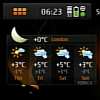
The word "widget" has been used in so many contexts in computing and elsewhere, it can sometimes be unclear what exactly it means. On the N900, widgets are simple applications you can add to the desktop, and the video below goes through all the basics.
AAM Staff · 18 February 2010 -

How to add internet radio stations to the Nokia N900 media player
The N900's media player application has an internet radio section which contains lots of radio station bookmarks, but no obvious way of adding more. The video below gives an example of how to add more stations to the list, and how to remove stations too.
AAM Staff · 15 February 2010 -
How to install MSN, Yahoo Messenger, AIM, ICQ etc on the Nokia N900
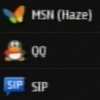
The N900 has instant messaging and VOIP totally integrated into the interface, but officially it only supports this integration with Skype, Google Talk, Jabber/Facebook and Ovi. Unofficially though, more services including MSN / Live, AIM, Yahoo Messenger, ICQ, QQ and others can also be used in an integrated way. The video below shows exactly how to activate them, it only takes a minute and you only have to do it once.
AAM Staff · 14 February 2010 -
How to install Google Talk on the Nokia N900
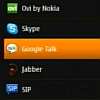
A companion video to the Skype one, this is another beginner's guide showing how the N900's Accounts system allows you to activate third-party VOIP and messaging services without having to install any extra software.
AAM Staff · 13 February 2010 -
How to install Skype on the Nokia N900
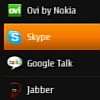
"How do I install Skype on it?" - If you or someone you know has been asking this about the Nokia N900, the answer is you don't need to install anything as Skype is built-in. In another video aimed at beginners, All About Maemo goes through how to set up a Skype account, and shows how it is fully integrated into the N900.
AAM Staff · 11 February 2010 -
TV Out on the Nokia N900: A beginner's guide
If you haven't already tried it, the TV Out feature of the N900 is potentially very useful and quite a neat party trick too. Despite its analogue signal, the output still looks reasonably good on a large screen. All About Maemo has done a short video aimed at beginners illustrating the basics, embedded below.
AAM Staff · 03 February 2010 -
How to create music playlists on the Nokia N900
The N900's built in media player has a slightly eccentric way of handling playlists, but it is fairly easy once you get used to it. We've done a brief video to show you how it works, you can watch it embedded below.
AAM Staff · 17 January 2010 -
How to take screenshots on the Nokia N900
The Nokia N900 has a built-in screenshot function which is very easy to use once you know how. The video below shows you how... :-)
AAM Staff · 01 January 2010 -
How to find freeware for the Nokia N900 from Maemo.org / Maemo Extras
The N900 has a built-in software catalogue called Maemo.org (aka Maemo Extras on some firmware versions) which contains lots of great freeware. Some N900s have the catalogue activated by default, others have it disabled by default. The video below shows how to activate the catalogue if needed, and how to download freeware from it.
AAM Staff · 01 January 2010